 StaffBee
Shifts that mark late, half day and overtime for you.
Set each shift’s hours once. StaffBee marks late arrivals, half days and overtime by your rules, lets people punch out for lunch and back in, and closes a forgotten punch-out at shift end.
Counting late minutes and half days by hand is where most salary arguments start.
Three steps, set up once.
- 1
Add your shifts
Day, night or split: set the hours and the weekly offs, then give each person their shift.
- 2
Set your rules
Late after 15 minutes, half day after 2 hours, and overtime if you pay it. Or turn the rules off and count presence only.
- 3
Let StaffBee mark the day
Each punch is marked by your rules. Forgot to punch out? A reminder comes, then the day closes at shift end for you to review.
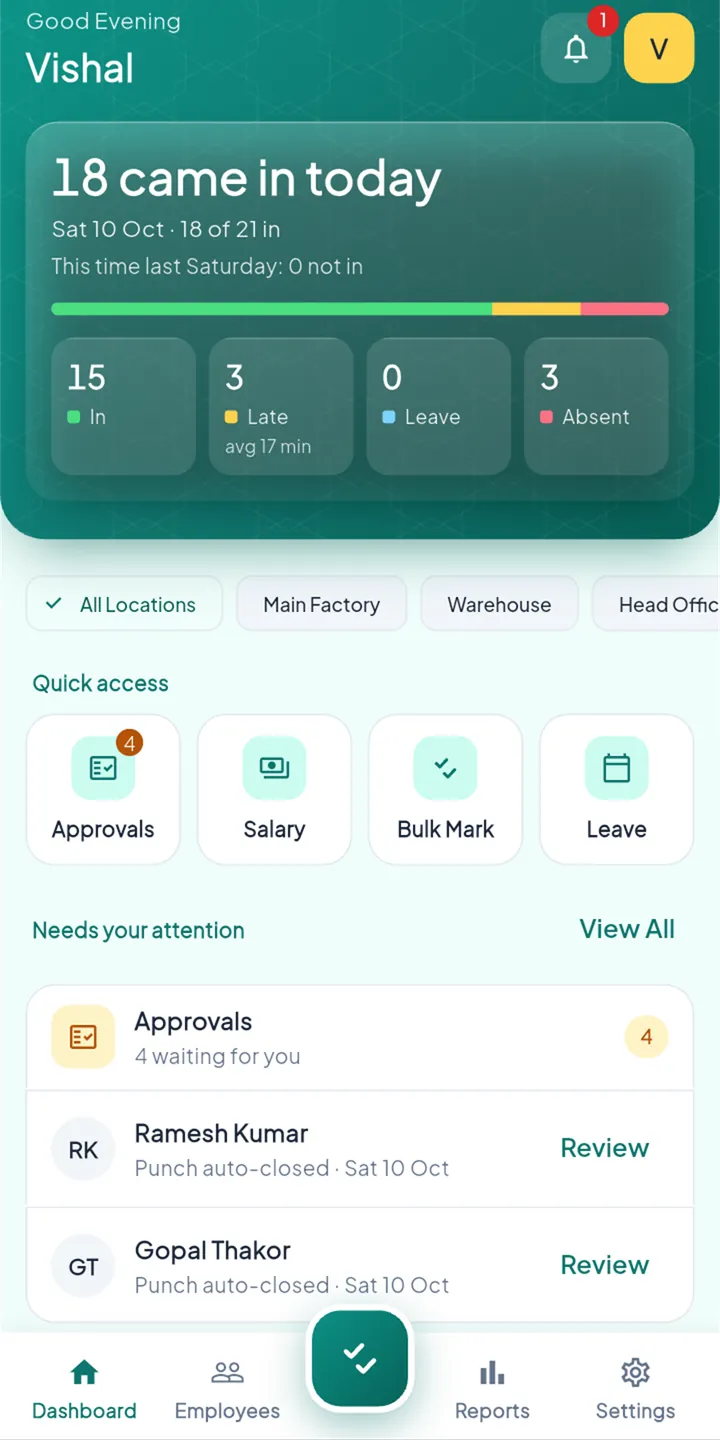
Late and half days, already counted.
- Late count and average late minutes, today
- Auto-closed days waiting for your review
- Breaks: several punches a day, from one to six
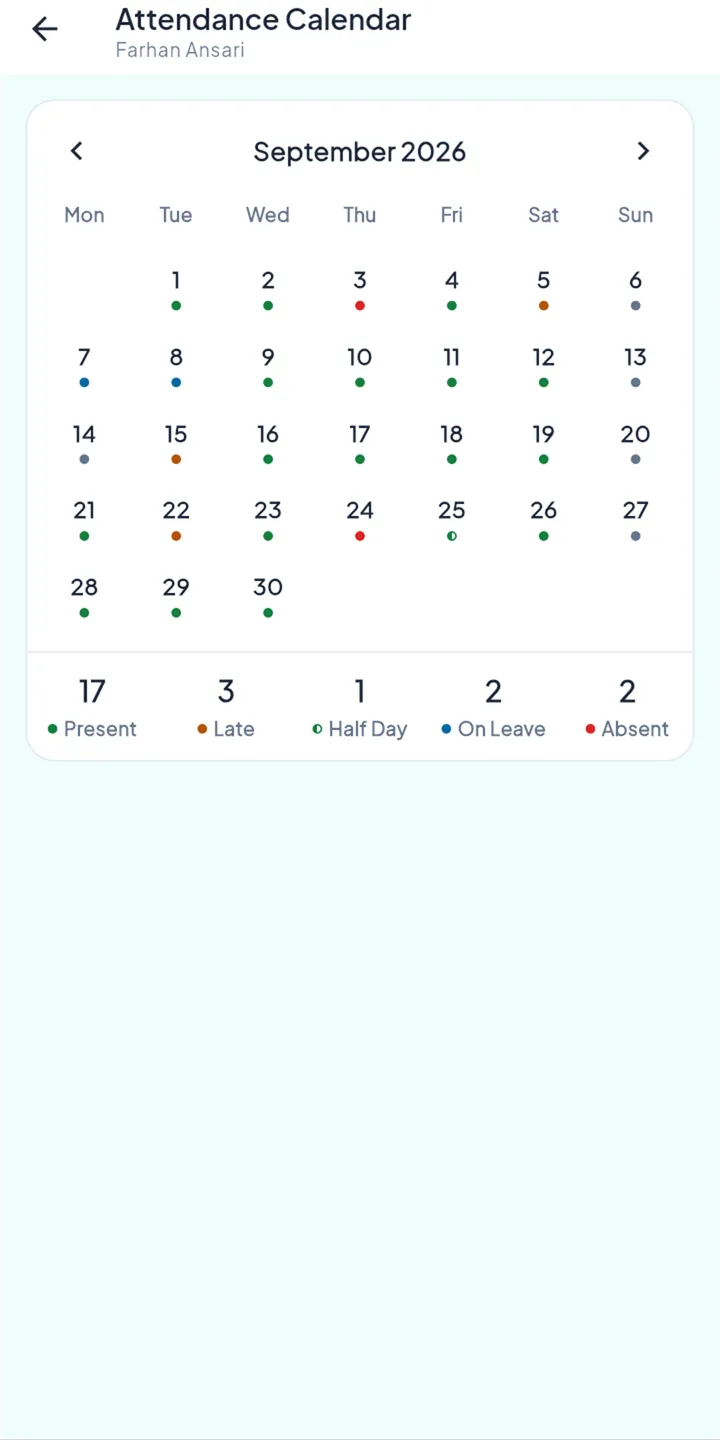
Their shift, and a gentle reminder.
- Their shift hours on the punch screen
- A reminder if they forget to punch out
- Each day’s status on their own calendar
The rules behind it.
Your thresholds
Late, half day and absent cut-offs are yours to set, in minutes.
Hours-worked rule, if you want it
Count a day as half or absent when someone leaves too early. Off until you turn it on.
Auto punch-out at shift end
A forgotten punch-out is closed at the shift’s end time, never later, and flagged for review.
Timezone-correct
Night shifts and month ends are counted in your business’s own time.
Questions
Can staff punch out for lunch?
Yes. Choose how many punch-ins a day you allow, from one to six. The default of three covers lunch and a tea break.
Do you pay overtime automatically?
StaffBee can record overtime when someone stays past the shift by your minimum. Turn it on in the attendance rules.